
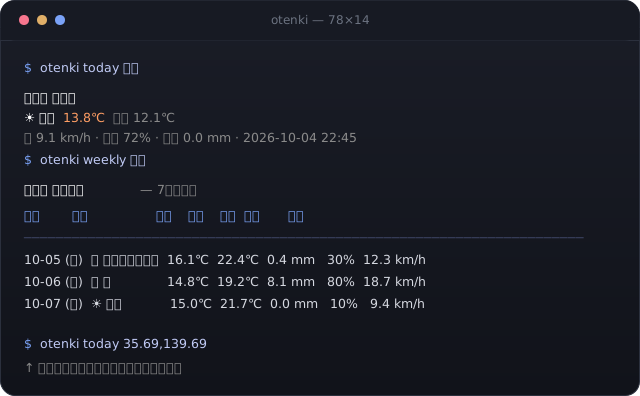
API キーは要らない
天気と地名はどちらも無償の公開 API。アカウント登録も課金設定も要らない。
bunx otenki-cli today 函館        # その場で実行(bun が PATH に要る)
npm install -g otenki-cli # 入れる → 以降は `otenki` で呼べるnix run . -- today 函館 # インストールせずに実行
nix profile install . # プロファイルに登録bun install
bun run start -- today 函館 # ソースから実行bunx otenki-cli today 函館 # 現在の天気
bunx otenki-cli tomorrow 横浜 # 明日の予報
bunx otenki-cli weekly 35.69 139.69 # 7 日間。座標でもよい
bunx otenki-cli fortnight 東京 # 14 日間(2 週間)
bunx otenki-cli 3h 函館 # 直近 24 時間を 3 時間おきに
bunx otenki-cli locate 横浜 --all # 同名地の候補を全部見る
bunx otenki-cli locate 横浜 --pick # fzf で選ぶ
bunx otenki-cli today 横浜 --json # スクリプト用に生 JSON地名から天気までを、2 回の API 呼び出しで片付ける。キャッシュが効くと 2 回目以降は 1.5 秒から 0.08 秒になる。
bunx otenki-cli today 函館
  │
  ├─ Geocoding API ── 函館 / 函館県 / 函館都 / 函館府 / 函館市 / 函館町 / 函館村
  │                          首都 → 集落地 → 人口 → feature code の順で並べる
  │                   → 41.77583, 140.73666
  │
  └─ Forecast API ──── その座標の現在天気(timezone=auto)
→ ☀️ 快晴 13.8℃forecast_days 17 以上は拒否されるため、それより先は引けない。高知 は地名で引けない。bunx otenki-cli today 32.98880 132.55970 と座標を渡す。横浜 のように複数ある。--all で確認し、--pick で選ぶ。詳しくは コマンド一覧 と トラブルシューティング に書いた。